For customers
From 2.6 stars to 4.2 in the App Store
After the redesign, the App Store rating climbed from 2.6 to 4.2 as the app moved from choosing a chip to finding an idea.
An AR app that shows paint on your own walls, then turns a Pinterest Pin into a paint color.
Picking a paint color meant trip after trip to the store. Swatches, samples, and still no idea how it would look at home.
A paint project runs through six stages, from the first idea to the last coat. The hardest part sits early: finding an idea and choosing the color. Customers made multiple store trips for swatches and samples, and still needed help with color, paint type, brand, sheen and quantity.
From internal research and release records, 2018 to 2020.
Start with the idea, not the paint chip.
The first redesign moved the app from picking a chip to finding an idea: a digital Color Wall, coordinating colors, Match a Color from any image, and inspiration on the homepage. Pinterest made the next step obvious. The place people already save rooms they love became the way in.
A paint project has six stages, and most of them already had a home: the store for buying, the core app for details. The stretch nobody owned was ideation and color selection, where customers made trip after trip for swatches. Project Color’s job was to own that stretch, then hand people off to the rest of The Home Depot when they were ready.
I took over design management partway through the build, as the app was being redesigned for the first time. Before beta, the team put the builds in front of 12 customers who had a paint project planned but hadn’t picked a color, six on iPhone and six on Android, to find the showstoppers before customers did. After release, the App Store rating went from 2.6 to 4.2.
People were already collecting rooms they loved on Pinterest. Version 2.5 let them import their boards and pins into Project Color and use Match a Color to find the paint. The idea took more than a year to shape with our integrated media partners and Pinterest, and shipping it meant lining up UX, engineering, merchandising, social and an outside partner on one release.
After the redesign, the loudest feedback was about seeing color on your own wall. On iPhone, the missing See It in My Space was the number-one complaint. On Android, the wall detection wasn’t accurate enough. So the roadmap put the hard problems first: find the wall, keep the color true under light and shadow, change it fast, and show more than one color at a time.
The Home Depot Project Color app
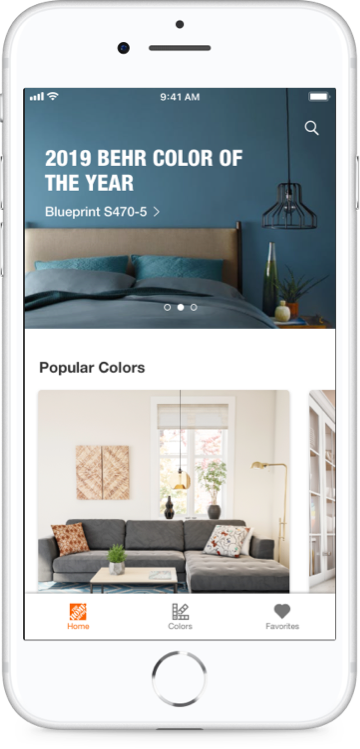
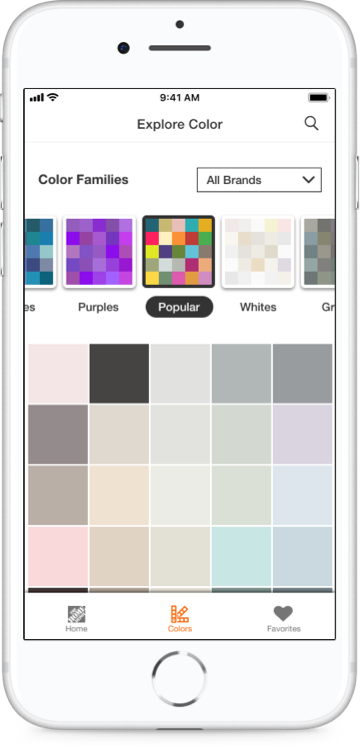
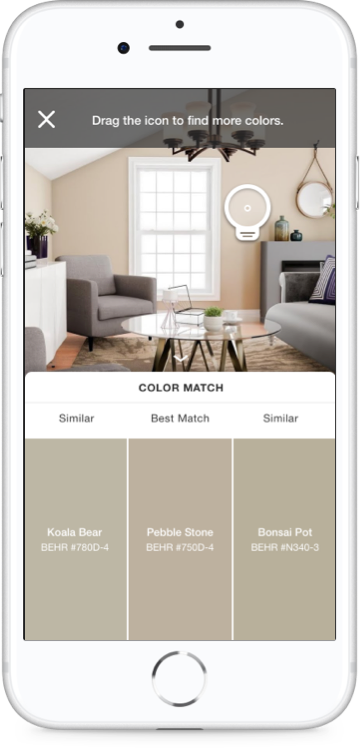
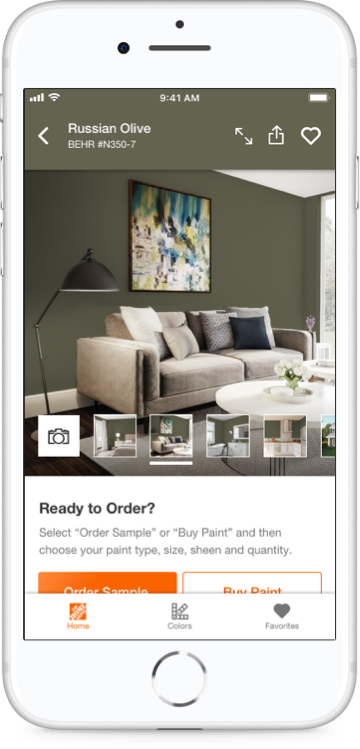
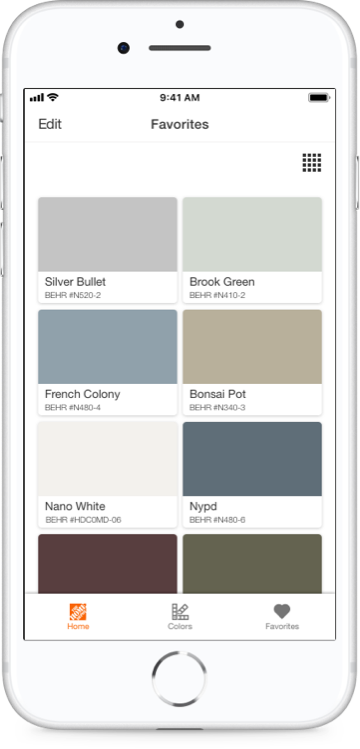
Project Color stayed a standalone app, and the research kept pointing the same way: help people decide, then hand them off cleanly to the core app and the store.
After the redesign, the App Store rating climbed from 2.6 to 4.2 as the app moved from choosing a chip to finding an idea.
Pinterest boards and pins became a starting point for Home Depot paint, a partnership integrated media had shaped for more than a year.
Beta interviews and a diary study turned the top complaints into the next roadmap: better wall detection, truer color, and smoother handoffs to the core app and the store.
I'd bring it into the main app.
Project Color was funded by our paint merchants, so it lived as its own app, and when that funding ended, so did the work. As a feature inside The Home Depot app, it could have kept improving instead of fading away. The things that held us back, like wall detection and true-to-life color, only get better with time, and AI could push them further still.